
Accounting software for Australian bookkeepers
Move between authorised client companies from one Ledra account. Keep each client's books separate, review the records behind their balances and build a repeatable workflow through the Ledra Partner Program.
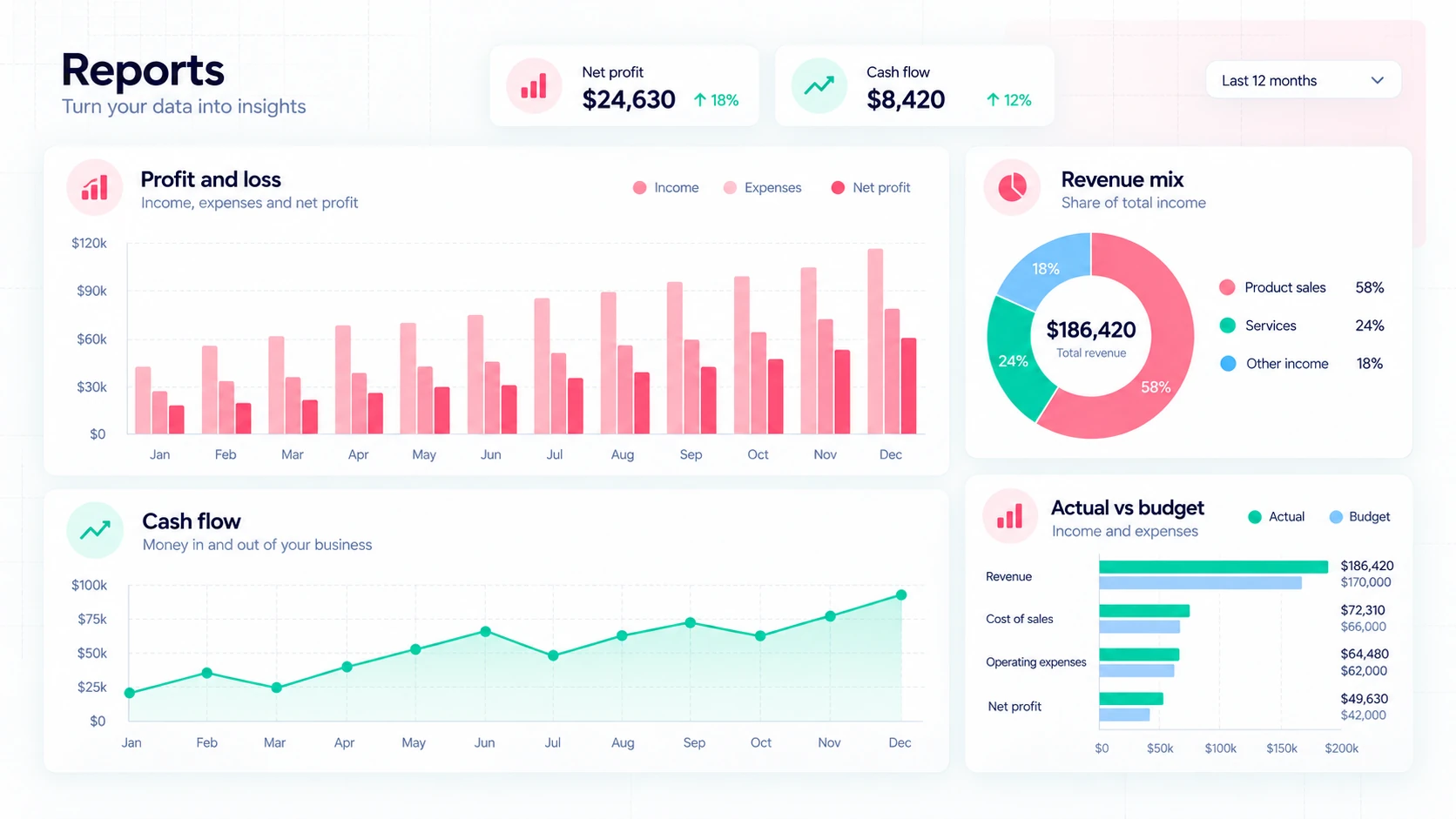
Review the source records behind a balance
A bookkeeping review often starts with a question: which invoice explains a deposit, which bill remains unpaid, or why does a GST balance differ from expectations? Ledra brings sales, purchases and accounting records into connected workflows so you can investigate the underlying work instead of treating a dashboard total as the final answer.
Review imported bank transactions alongside invoices, bills and payments. Check uncertain allocations and outstanding items, then use the reports available on that company's plan to review the period. Financial, tax and management reporting capacity varies by subscription, so confirm the selected plan before building a client workflow around a particular report.
Manage authorised clients through the Partner Program
Use the organisation and role assigned to you when working on client records. Access to a company is not permission to view another company's information. Invite collaborators through the normal user and role workflow, and review what each person needs to see or change. Existing authentication and MFA controls continue to apply to sensitive actions.
Approved, active Partners can create client organisations, connect eligible client relationships and invite collaborators through the existing onboarding and access workflows. Qualifying Partners receive discounted subscription pricing according to their membership and the subscription's eligibility. Review the actual price in My Ledra before confirming; Partner rates cannot be combined with promotional coupons.
Build a repeatable month-end review
For a client with regular sales and purchases, begin by reviewing missing source records and bank transactions, then investigate outstanding customer and supplier balances. Check GST information and the reports relevant to that business. For a project-based client, review available project time, costs and billing as well, subject to its accounting plan and your permissions.
Where payroll is part of the engagement, review the pay records and STP submission results separately from wage and super payments. Ledra does not directly transfer super contributions or operate a clearing house. BAS preparation is also distinct from live lodgement. Explore the sample Reports and Accounting workspaces, then compare current plan inclusions for each client rather than reusing a single subscription assumption across all businesses.
One login, two different client workflows
A bookkeeper reviews invoices and reconciliation for a sole trader, then switches to an authorised employer's company for payroll and STP checks. Each company retains its own records, roles and subscriptions. An approved Partner can create a client organisation and invite the client through the existing onboarding and access workflow.
Accounting Free: current inclusions
Simple accounting tools to help growing businesses stay organised and in control — forever free.
$0/month. Free forever.
- Unlimited users
- Unlimited invoices and quotes
- Unlimited purchase orders and bills
- Fast online invoice payments
- Smart bank reconciliation
- GST tracking and BAS preparation
- BAS and reconciliation reports
- Performance dashboard
- Mobile access
- Hassle-free onboarding
- Inventory management - up to 5 items
- Fixed assets - up to 2 active assets
- Company backup and recovery
Accounting and Payroll are separate plan choices. A demonstration can show features outside your selected plan. Compare reporting, recurring workflows and capacity before choosing.
Compare current plans and limitsBring your client portfolio into Ledra
Apply in My Ledra, then review membership and eligible pricing before creating or connecting client organisations.
Explore the Ledra Partner ProgramCommon questions
Can I manage more than one client company?
Yes. Switch between companies you are authorised to access from the same Ledra account. Each company's records, user roles and subscriptions remain separate; Partner membership does not grant access to an unrelated company.
Can Partners create organisations for clients?
Approved, active Ledra Partners can create client organisations through the existing onboarding workflow and invite clients with the appropriate roles. Subscription management and ownership changes still require the normal authorisation.
Is discounted Partner pricing available?
Qualifying active Partners can receive discounted pricing on eligible subscriptions. The applicable rate and eligibility are shown in the signed-in subscription preview. Partner pricing is not combined with promotional coupons; do not assume every account receives the same discount.
Explore the connected workflow
See the seven Ledra modules, find a workflow for your business, or compare current plans.