
Bank reconciliation software for clearer books
Connect what happened in the bank to the records in your accounts. Review matches and allocations before recording a transaction.
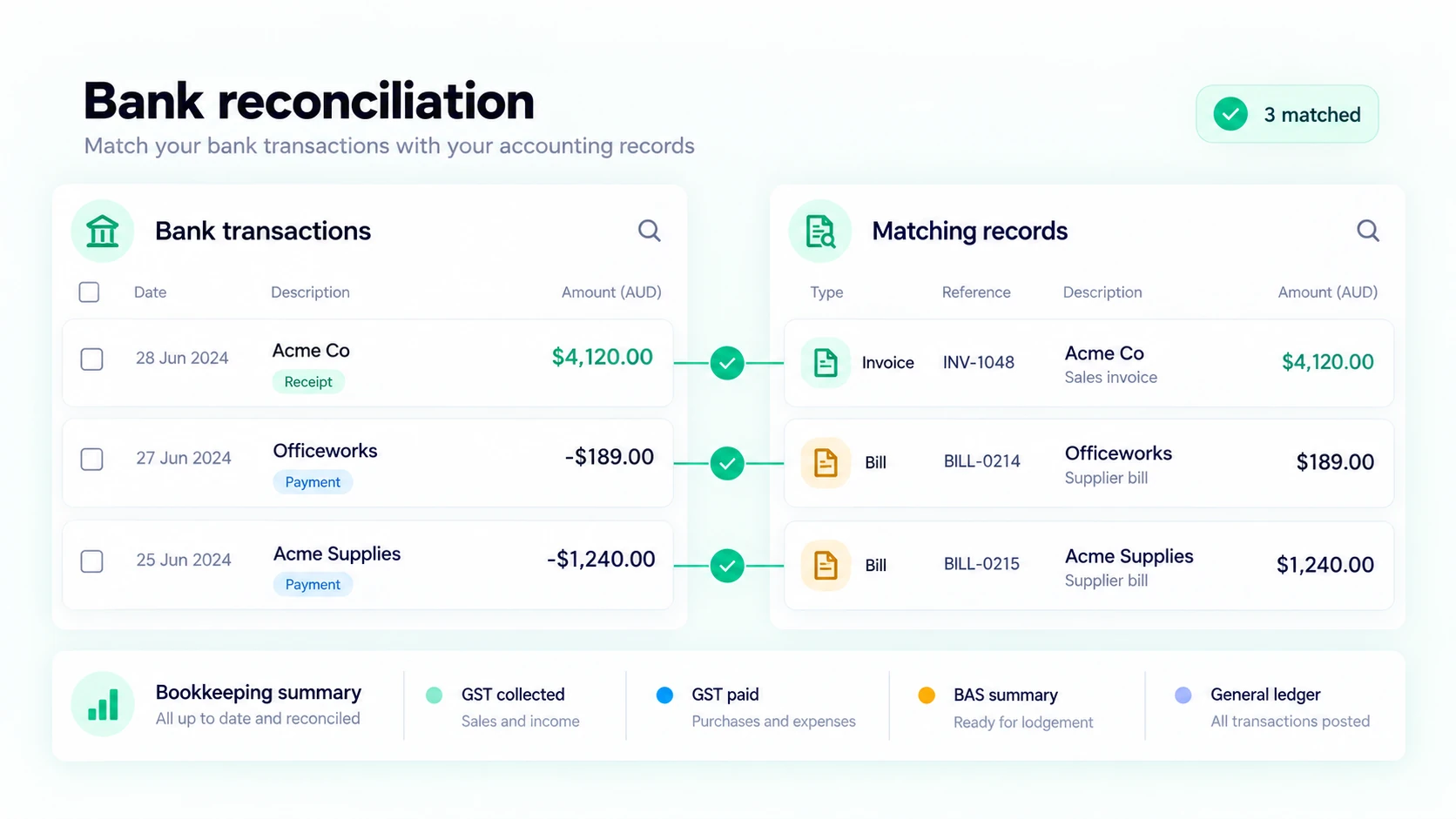
Match the bank transaction to its source
A deposit in a bank account is not always a new sale, and a withdrawal is not always a new expense. It may settle an invoice or bill already recorded in your books. Ledra's reconciliation workflow lets you look for the relevant invoice, bill, payment or accounting record and review the amount before confirming a match. This helps avoid recording the same income or cost twice.
Work through imported transactions in the bank reconciliation workspace. Check dates, descriptions and amounts alongside the available records. A familiar customer or supplier name can be a useful clue, but it does not replace checking the transaction itself. Leave an uncertain item for investigation rather than allocating it to a convenient account.
Record everyday transactions with reviewed settings
Bank fees, interest and other day-to-day movements may need an allocation rather than a match to an existing document. Choose the appropriate account and GST treatment, add the relevant details and review the result before recording it. Split or related transactions need the same care: the full bank movement and the accounting entries should agree.
Before importing, set the Ledra start date and review the company's default accounts and GST control account in Accounting settings. These settings determine where transactions are recorded. If Ledra asks you to review a setting, resolve that requirement first; reconciliation should not guess an account or silently bypass incomplete setup.
A practical rhythm for a small business or bookkeeper
A regular review keeps the unmatched list manageable. For example, after a customer pays an approved invoice, find the deposit and compare it with that invoice's outstanding balance. When a supplier payment appears, review the related bill instead of creating another expense. Investigate items that do not fit either workflow using the supporting statement or receipt.
Ledra currently supports imported bank transactions. Automated bank feeds remain a launching-soon feature in the public catalogue. Access to reconciliation follows the company's accounting plan and the user's permissions. Use the sample Accounting workspace to understand the review process, then compare plans for your company's reporting and capacity needs.
Review a supplier payment without duplicating the expense
A bank withdrawal covers two supplier bills. In Allocate, select the relevant approved bills and review the amounts against the bank movement. For a transaction that belongs to more than one account, use split allocation and check that the parts add up before recording. Keep an uncertain item unmatched until you have its supporting records.
Accounting Free: current inclusions
Simple accounting tools to help growing businesses stay organised and in control — forever free.
$0/month. Free forever.
- Unlimited users
- Unlimited invoices and quotes
- Unlimited purchase orders and bills
- Fast online invoice payments
- Smart bank reconciliation
- GST tracking and BAS preparation
- BAS and reconciliation reports
- Performance dashboard
- Mobile access
- Hassle-free onboarding
- Inventory management - up to 5 items
- Fixed assets - up to 2 active assets
- Company backup and recovery
Accounting and Payroll are separate plan choices. A demonstration can show features outside your selected plan. Compare reporting, recurring workflows and capacity before choosing.
Compare current plans and limitsCommon questions
Can I match and split imported transactions?
Yes. Review suggested matches or select existing records in Allocate. Split an allocation where the bank movement needs more than one line, then check the total and GST treatment before confirming.
Can I use bank rules?
Bank rules let you define conditions and allocation details for recurring transactions. Review the proposed treatment in reconciliation before recording; a rule does not replace checking the source transaction.
Which plan includes reconciliation?
Smart bank reconciliation is included in Accounting Free. Access also requires the appropriate company permissions and completed accounting settings. Automated bank feeds are launching soon, not required for statement imports.
Explore the connected workflow
See the seven Ledra modules, find a workflow for your business, or compare current plans.